

To cancel your subscription:
Click the Account link at the top of the page to open a new window
Click "Cancel your subscription"
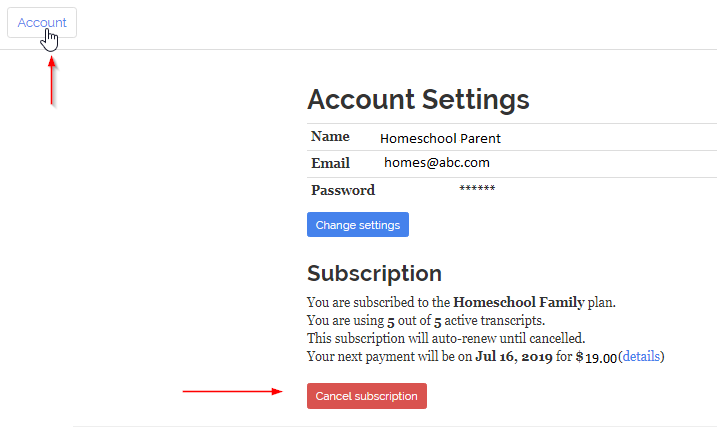
This will mark your subscription for expiration at the end of the current billing period. You won't be charged again. You can still print and download your transcripts, but they won't be editable unless you re-subscribe. Canceling a subscription does not delete your account. Your account and transcript(s) will remain on our site for you to access.
If you have a 14-day free trial subscription, it will cancel itself at the end of the trial period. You are not able to cancel a trial subscription yourself because it is set up to end on the last day of the trial.